Data Visualization for Policy and Political Analysis Training Course
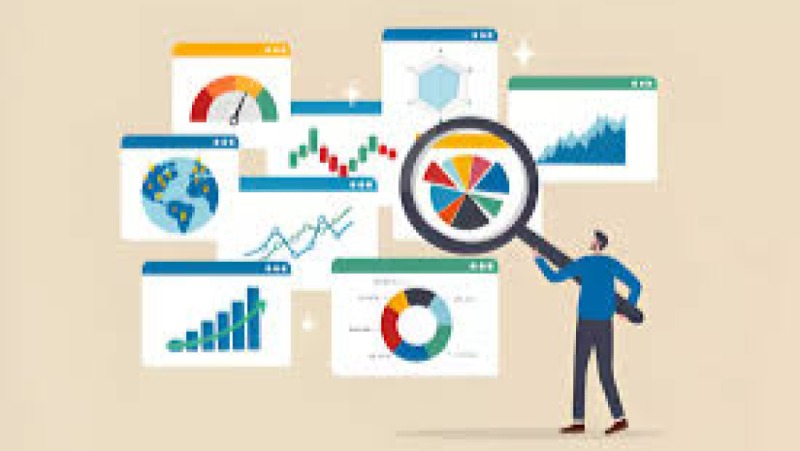
Data Visualization for Policy and Political Analysis Training Course is designed to empower professionals with the essential skills to transform complex data into clear, compelling, and actionable insights.
Skills Covered
Course Overview
Data Visualization for Policy and Political Analysis Training Course
Introduction
Data Visualization for Policy and Political Analysis Training Course is designed to empower professionals with the essential skills to transform complex data into clear, compelling, and actionable insights. In today's data-driven world, the ability to effectively communicate statistical findings is crucial for shaping public policy, influencing political campaigns, and driving informed decision-making. This course goes beyond technical tools, focusing on the principles of data storytelling and visual communication to ensure that your message resonates with diverse audiences, from policymakers and stakeholders to the general public.
By mastering the art of visual analytics and information design, you will be able to reveal hidden patterns, identify key trends, and present evidence-based arguments with unparalleled clarity. You'll learn how to select the right charts and graphs, design intuitive dashboards, and create persuasive infographics that highlight the impact of policies and the dynamics of political behavior. Our hands-on approach, grounded in real-world case studies, will equip you with the practical expertise needed to navigate the intersection of data science and public service, making you an indispensable asset in the policy-making process and political landscape.
Course Duration
10 days
Course Objectives
- Master foundational concepts of data visualization and its application in public policy.
- Develop skills in data storytelling to create persuasive and impactful narratives.
- Utilize modern visual analytics tools to explore and understand complex political datasets.
- Design effective dashboards for policymakers and public sector professionals.
- Analyze and visualize public opinion data and electoral trends.
- Interpret and create geospatial visualizations for demographic and spatial analysis.
- Identify and address ethical considerations in data representation and communication.
- Employ advanced techniques for visualizing social media data and digital advocacy campaigns.
- Translate statistical findings into accessible infographics for a non-technical audience.
- Evaluate and critique existing visualizations to improve clarity and accuracy.
- Conduct evidence-based analysis to support policy proposals and advocacy efforts.
- Apply visual communication strategies to influence stakeholder engagement.
- Build a portfolio of professional-grade visualizations for policy research and political strategy.
Target Audience
- Policy Analysts and Researchers
- Government and Public Sector Professionals
- Campaign Managers and Political Strategists
- Data Journalists and Media Professionals
- NGO and Non-Profit Staff focused on advocacy and social change
- Academic Researchers in Political Science and Sociology
- Graduate Students in Public Policy, Political Science, or Data Science
- Community Organizers and Activists
Course Modules
- Module 1: Foundations of Data Visualization for Politics
- The role of data visualization in evidence-based policymaking.
- Principles of effective information design and visual perception.
- Data storytelling vs. just charting data.
- Introduction to key tools: Tableau, R, and Python libraries
- Case Study: Visualizing the impact of social policies on economic indicators.
- Module 2: The Art of Data Storytelling
- Structuring a compelling data narrative.
- Identifying your audience and tailoring your message.
- Using visuals to highlight key findings and call to action.
- Crafting headlines and annotations that enhance understanding.
- Case Study: Creating a narrative-driven visualization of voting patterns in a recent election.
- Module 3: Sourcing and Preparing Political Data
- Finding and accessing open government data and public datasets.
- Data cleaning and transformation for analysis.
- Working with messy, real-world political data.
- Understanding data types and structures.
- Case Study: Preparing and cleaning a dataset on campaign finance for analysis.
- Module 4: Designing Effective Charts and Graphs
- Choosing the right chart type for your data (bar, line, scatter plots).
- Avoiding common pitfalls and misrepresentations.
- Using color, scale, and labels effectively.
- Best practices for creating clear and accurate visuals.
- Case Study: Comparing different chart types to visualize public approval ratings over time.
- Module 5: Interactive Dashboards for Policymakers
- Principles of dashboard design and user experience (UX).
- Building dynamic and filterable dashboards in Tableau.
- Integrating multiple visualizations for a holistic view.
- Automating data reporting and real-time updates.
- Case Study: Building a live dashboard to monitor a cityΓÇÖs public health policy outcomes.
- Module 6: Geospatial Visualization in Political Analysis
- Mapping demographic, electoral, and socioeconomic data.
- Creating choropleth maps, heatmaps, and spatial joins.
- Using Geographic Information Systems (GIS) tools.
- Identifying regional patterns and disparities.
- Case Study: Mapping voter turnout and demographic data to identify key swing districts
- Module 7: Visualizing Public Opinion and Polling Data
- Techniques for displaying survey results and public sentiment.
- Visualizing confidence intervals and margins of error.
- Creating visuals for sentiment analysis of text data.
- Understanding the limitations of polling data visualization.
- Case Study: Visualizing shifts in public opinion on climate policy over five years.
- Module 8: Visuals for Political Campaigns and Strategy
- Analyzing electoral data to identify voter segments.
- Creating visuals for voter targeting and mobilization campaigns.
- Using social media analytics to track online engagement.
- Visualizing campaign spending and donations.
- Case Study: Creating a visualization that predicts election outcomes based on historical data.
- Module 9: Data Ethics and Responsible Visualization
- Recognizing and avoiding misleading visualizations
- Addressing bias in data collection and representation.
- Ethical considerations in presenting sensitive data.
- The importance of transparency and data sourcing.
- Case Study: Critiquing a visualization on a controversial topic, identifying its ethical flaws.
- Module 10: Advanced Visual Analytics with R/Python
- Using ggplot2 (R) or Matplotlib/Seaborn (Python) for custom plots.
- Creating complex visualizations like network graphs and treemaps.
- Automating visualization generation with scripts.
- Integrating data analysis and visualization in one workflow.
- Case Study: Using R to visualize legislative co-sponsorship networks.
- Module 11: Infographics for Public Communication
- Principles of infographic design for non-technical audiences.
- Telling a clear, concise story with minimal text.
- Using visual hierarchy and icons effectively.
- Tools for creating professional infographics (e.g., Canva, Adobe Illustrator).
- Case Study: Designing an infographic explaining a new healthcare policy's benefits.
- Module 12: Visualizing Policy Impact and Outcomes
- Using data to show the before and after of a policy.
- Creating visualizations that measure return on investment (ROI).
- Displaying time-series data to track progress.
- Developing visuals for program evaluation and policy analysis.
- Case Study: Visualizing the impact of a new urban development policy on local employment rates.
- Module 13: Presentation and Communication Strategies
- Techniques for presenting data visuals to live audiences.
- Crafting a memorable and persuasive presentation.
- Answering tough questions with data-backed visuals.
- The power of storytelling in a presentation.
- Case Study: A mock presentation of a policy brief to a group of stakeholders.
- Module 14: Integrating AI and Automation in Visualization
- Understanding the role of AI-powered tools in data visualization.
- Automating data-to-visuals workflows.
- Exploring future trends like immersive data experiences (VR/AR).
- Using low-code/no-code tools for rapid prototyping.
- Case Study: Using an AI tool to generate an initial dashboard from raw policy data.
- Module 15: Final Capstone Project and Portfolio
- Applying all course knowledge to a real-world project.
- Developing a complete data visualization project from scratch.
- Building a professional portfolio of visualizations.
- Receiving personalized feedback from instructors.
- Case Study: Participants choose a topic of interest (e.g., climate policy, education reform) to create a comprehensive visualization project.
Training Methodology
┬╖ Interactive Lectures.
┬╖ Case Study Analysis.
┬╖ Simulations and Role-Playing.
┬╖ Peer-Led Discussions.
┬╖ Research Projects
Register as a group from 3 participants for a Discount
Send us an email: info@datastatresearch.org or call +254724527104
Certification
Upon successful completion of this training, participants will be issued with a globally- recognized certificate.
Tailor-Made Course
We also offer tailor-made courses based on your needs.
Key Notes
a. The participant must be conversant with English.
b. Upon completion of training the participant will be issued with an Authorized Training Certificate
c. Course duration is flexible and the contents can be modified to fit any number of days.
d. The course fee includes facilitation training materials, 2 coffee breaks, buffet lunch and A Certificate upon successful completion of Training.
e. One-year post-training support Consultation and Coaching provided after the course.
f. Payment should be done at least a week before commence of the training, to DATASTAT CONSULTANCY LTD account, as indicated in the invoice so as to enable us prepare better for you.